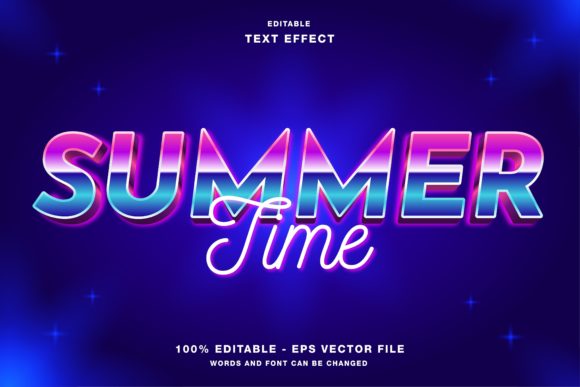
Summer Time Text Effect: Retro 80s Wave Style
Capturing the essence of a season in graphic design requires more than just bright colors; it demands an atmosphere. The Summer Time Text Effect, specifically styled with a retro 80s wave aesthetic, offers a powerful visual shorthand for nostalgia, energy, and warmth. This editable template for Adobe Illustrator is designed to bridge the gap between complex manual design work and the need for rapid, high-quality content creation. Whether you are crafting a social media post or a large-format print piece, understanding how to leverage this specific style can elevate your visual communication.
Understanding the Retro Wave Aesthetic
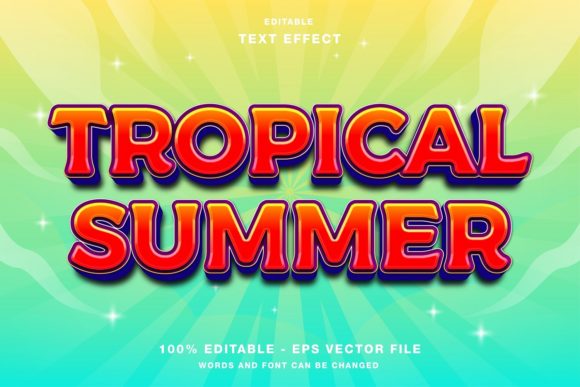
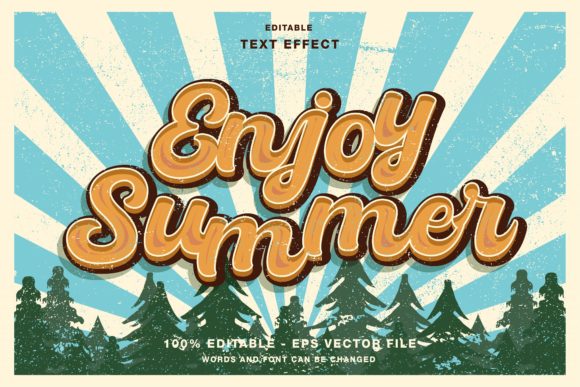
The "Synthwave" or "Retrowave" style draws heavily from the visual culture of the 1980s. It is characterized by neon gradients, grid lines, sunsets, and bold, geometric typography. When applied to text, this effect creates a sense of motion and depth. The Summer Time Retro 80s Wave Style Text Effect utilizes these elements to evoke feelings of leisure and excitement. Because the template is built in Adobe Illustrator, it relies on vector graphics. This means the design remains crisp and clear regardless of the size, from a tiny Instagram profile picture to a massive billboard.
A crucial technical detail for users is the color mode. This template operates in RGB (Red, Green, Blue). RGB is the standard color space for digital screens, including monitors, smartphones, and tablets. If you are designing primarily for web use, social media, or digital advertisements, this color mode ensures that the neon hues appear vibrant and accurate. However, if your project involves professional printing, such as magazines or high-end flyers, you may need to convert the file to CMYK later, keeping in mind that some neon brightness may shift during conversion.
Why Different Creators Choose This Template
The value of a pre-made text effect varies significantly depending on who is using it. A freelance graphic designer might view it as a time-saving asset, while a small business owner might see it as a way to achieve professional results without hiring an agency. Here is how different audiences can evaluate and utilize this tool.
Social Media Managers and Digital Marketers
For professionals managing brand presence on platforms like Instagram, Twitter, and Facebook, speed and consistency are vital. Algorithms favor frequent posting, but creating unique visuals for every update is resource-intensive. This editable text effect allows marketers to maintain a cohesive summer campaign theme. By simply swapping out the text, they can produce a series of promotional graphics for sales, events, or announcements in minutes rather than hours. The retro style stands out in crowded feeds, grabbing attention through its high-contrast, nostalgic appeal.
Small Business Owners and Entrepreneurs
Many entrepreneurs wear multiple hats, including that of the marketing department. For a boutique hotel, a beachside cafe, or a surf shop, the summer aesthetic is not just a trend; it is part of their brand identity. Using this template enables business owners to create polished flyers, posters, or event papers without needing advanced design skills. The fact that all elements are editable means they can align the colors with their brand guidelines while still benefiting from the professional structure of the retro wave design.
Event Promoters and Publishers
When promoting summer festivals, concerts, or magazine features, the headline is the first point of engagement. A generic font often fails to convey the mood of the event. The Summer Time Text Effect provides an instant atmospheric cue. For publication promotions, such as magazine covers or editorial headers, this style adds a layer of artistic credibility. It suggests that the content within is fun, energetic, and culturally relevant. The inclusion of EPS and JPG files in the main folder ensures compatibility with various publishing workflows, whether the final output is digital or print.
Educators and Hobbyists
For students learning graphic design or hobbyists creating personal projects, this template serves as an excellent educational tool. By deconstructing the layers in Illustrator, beginners can learn how professional designers construct complex effects using gradients, meshes, and blending modes. It offers a safe environment to experiment with customization. Hobbyists planning a family reunion, a birthday party, or a personal blog can use the template to add a professional touch to their invitations and headers, enhancing the perceived effort and care put into the event.
Practical Applications and Customization
The true power of this template lies in its flexibility. While it comes with a preset look, it is fully customizable. Here are practical ways to adapt the effect for various needs:
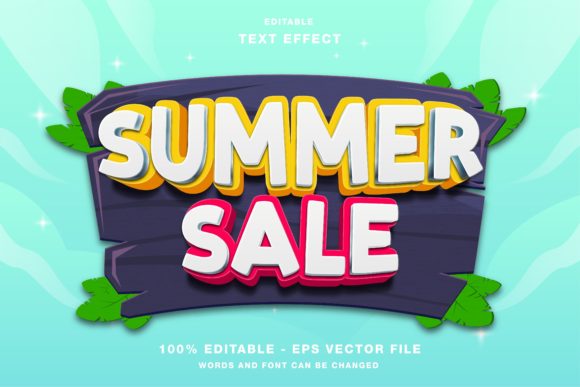
- Headline Social Media Promotions: Use short, punchy text like "SUMMER SALE" or "BEACH VIBES." The bold nature of the retro font ensures readability on small mobile screens.
- Publication Covers: For magazines or zines, longer titles can be stacked. Adjust the spacing and scale to fit the composition, ensuring the text interacts dynamically with background images.
- Event Flyers and Posters: Combine the text effect with imagery of beaches, sunsets, or retro cars. The RGB color mode works well for digital distribution of flyers via email or social media groups.
- Web Design Elements: Export the edited text as a PNG with a transparent background to use as a hero section header on a website. The vibrant colors can serve as a focal point against a minimalist background.
Editing the text is straightforward. Since the template is designed for Illustrator, users can select the text box, type their desired message, and the effect should apply automatically if the appearance panel is set up correctly. If manual adjustment is needed, the layered structure allows for precise control over shadows, highlights, and gradient angles.
Evaluating Quality and Usability
When deciding whether this template fits your project, consider three key factors: ease of use, quality, and compatibility.
Ease of Use: The template is marketed as editable and customizable. For beginners, this means looking for clear layer organization and labeled components. If the file is cluttered or poorly organized, it may hinder rather than help. Experienced users will appreciate the ability to quickly swap colors and fonts without breaking the effect.
Quality: Vector-based effects offer superior quality compared to raster-only presets. The ability to scale without pixelation is a significant advantage for multi-platform campaigns. Check the smoothness of the gradients and the sharpness of the edges in the preview images.
Compatibility: Ensure your version of Adobe Illustrator can open the provided EPS files. While EPS is a widely supported format, newer features in Illustrator might not render correctly in older software versions. The inclusion of JPG files provides a fallback for quick previews or for users who do not have access to vector editing software.
Making the Right Choice for Your Project
The Summer Time Retro 80s Wave Style Text Effect is not a one-size-fits-all solution. It is best suited for projects that benefit from a bold, nostalgic, and energetic tone. If your brand identity is minimalist, corporate, or subdued, this style may clash with your overall messaging. However, for brands targeting younger demographics, promoting entertainment, or celebrating seasonal changes, it offers a high-impact visual solution.
Ultimately, the decision to use this template depends on your specific goals. If you need to produce high-volume content quickly, the time saved by using a pre-made effect is invaluable. If you are looking to learn new design techniques, the editable nature of the file provides a hands-on learning experience. For those seeking a balance between professional quality and creative freedom, this template offers a solid foundation upon which to build unique and engaging summer-themed designs.
By understanding the technical specifications, such as the RGB color mode, and recognizing the versatility across different media formats, you can effectively integrate this tool into your workflow. Whether you are a seasoned designer or a novice creator, the right resources can transform your ideas into compelling visual stories.